Mobile First Live Sports GCash & Maya Secure Login Fast & Light

gameph App — Your Complete Philippine Mobile Betting and Gaming Experience, Right in Your Pocket

The gameph App brings together sports betting, live odds, and casino-style games into one streamlined mobile experience built specifically for Filipino players. Access your account, place wagers on PBA and football, deposit in Philippine pesos via GCash or Maya, and manage everything from your phone — no desktop required, no complicated setup needed.

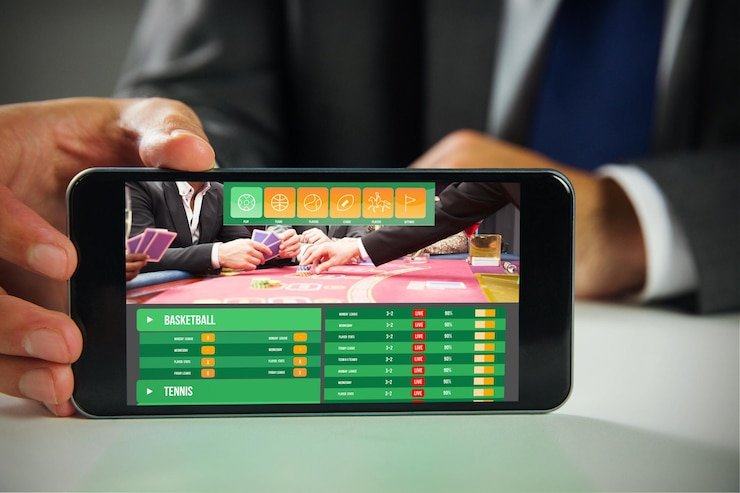
gameph mobile app open on a Filipino player's smartphone showing sports betting interface

What Is the gameph App?

Quick Answer

The gameph App is the mobile-optimised way to access everything on the gameph platform — sports betting, live in-play odds, casino-style games, account management, and local PHP payments — all from a single interface on your smartphone. It is designed specifically with Filipino players in mind, meaning the layout, payment options, and sports coverage all reflect what matters most in the Philippines market: PBA basketball, football leagues, GCash deposits, and fast page loads even on standard LTE connections across Luzon, Visayas, and Mindanao.

You do not need to download a separate file from an app store — the gameph App works as a mobile web experience that you can add directly to your home screen on both Android and iOS devices. Once added, it opens full-screen like a native app, keeps you logged in between sessions, and loads quickly without the overhead of a heavy browser tab. Whether you are commuting in Metro Manila, watching a PBA game in Cebu, or relaxing at home in Davao, the app puts your account and favourite markets one tap away.

Everything You Need in One Mobile Interface

Four core capabilities that Filipino players rely on the gameph App for every day.

Sports Betting On-the-Go

The gameph App gives you full access to all sports betting markets available on the platform, including PBA regular season and playoff games, NBA fixtures, UAAP collegiate basketball, the English Premier League, La Liga, and local Philippine Football League matches. Pre-match odds and live in-play lines load in the same compact interface so you can switch between upcoming fixtures and games already underway without any delay. Markets are displayed in a clean list format optimised for phone screens, making it easy to read spreads, totals, and moneyline odds at a glance. You can build a bet slip, review your potential payout, and confirm your wager in just a few taps — all without ever opening a desktop browser.

Casino-Style Games Anywhere

Beyond sports, the gameph App includes the full range of casino-style entertainment available on the platform — slots, table games like blackjack and baccarat, and live dealer rooms where you can interact with a real host in real time. The mobile interface scales cleanly to any screen size so game visuals remain sharp on both budget Android handsets and premium flagship phones. Live dealer games stream at a quality that works well on Philippine mobile data, with adaptive bitrate that adjusts to your connection speed automatically. You can browse game categories, filter by type, and jump straight into a session from the app home screen without navigating through multiple menus.

PHP Deposits & Withdrawals

All financial transactions in the gameph App are handled in Philippine pesos with no currency conversion needed, which means the amount you send from your GCash or Maya wallet appears in your account balance exactly as sent. The deposit flow inside the app is streamlined to three steps: select your payment channel, enter the PHP amount, and confirm. Your balance updates within minutes so you are ready to bet or play almost immediately. Withdrawals follow the same straightforward process and are sent back to the channel you used for depositing. For specific minimum amounts and current processing times, visit the FAQ page which keeps payment details up to date.

Account & Promotions Access

Your gameph account dashboard is fully accessible from the app, giving you a complete view of your balance, active bets, transaction history, and personal settings from a single screen. The Promotions page is also reachable directly from the app navigation, so you can check for active welcome bonuses, sports-specific boosts, and seasonal offers before placing any wager. Notification support means you will not miss an important odds change or a time-limited promo that could add value to a bet you were already planning. Account security settings including password management and session history are accessible from the app profile section at any time.

Add the App to Your Home Screen in Three Steps

Getting the gameph App on your phone takes less than two minutes and works on both Android and iOS without visiting any third-party app store. Follow these steps and you will have a full-screen app icon on your home screen ready to tap anytime.

  • Open gameph in Your Mobile Browser Visit gameph.id in Chrome (Android) or Safari (iOS). Make sure you are on the correct site and that it loads fully before proceeding to the next step.
  • Use the Browser Share or Menu Option On iOS Safari, tap the Share icon at the bottom of the screen and select "Add to Home Screen." On Android Chrome, tap the three-dot menu in the top right and choose "Add to Home Screen" or "Install App" if prompted automatically.
  • Confirm and Start Using the App Confirm the name and tap Add. The gameph icon will appear on your home screen. Tap it to open the app in full-screen mode — your login session carries over so you will not need to sign in again on the same device.
Create Your Free Account
Filipino user adding gameph to Android home screen step by step tutorial

Built for How Filipinos Actually Use Their Phones

Most Filipino mobile users switch between Wi-Fi and LTE multiple times during a single session — the gameph App is built to handle that gracefully. Page states are preserved when your connection drops momentarily, and the lightweight interface reloads quickly on standard 4G speeds common across provincial areas in the Philippines where fibre coverage may be limited.

The app is also designed around the way Filipinos manage money on their phones. GCash and Maya are the two most widely used digital wallets in the country, and both are integrated as primary deposit and withdrawal channels inside the app — not as secondary options buried in a settings menu. You fund your account using the same app you already use to pay bills and send money, keeping everything familiar.

Sports coverage inside the app reflects what Filipino fans actually follow. PBA gets the most prominent placement during conference season, with quarter-by-quarter in-play markets available for major games. International football fixtures from the EPL and Champions League are listed alongside local PFL matches so you can bet on a favourite foreign club and a home team in the same session without switching views.

Filipino sports fan using gameph app to check PBA live odds on mobile phone

Once you have the gameph App on your home screen, these sections are worth bookmarking next.

Pre-Match Tips Before You Bet

Before opening the betting section of the app, spending a few minutes on the Betting Tips page gives you the context to pick markets with more confidence. Match previews cover PBA, NBA, EPL, and boxing, with injury news, recent form notes, and key factors explained in plain Philippine English. Reading a pre-match tip on the same phone you use to bet means you can go straight from the analysis to placing your wager in the app without losing your train of thought.

Check Promos Before Depositing

The Promotions page lists all currently active offers on gameph including welcome bonuses for new members and event-specific boosts around PBA playoff rounds and major international tournaments. Checking the Promotions page before you top up your account balance from within the app ensures you do not miss a bonus that could stretch your deposit further. The page is mobile-friendly and loads quickly, making it a natural first stop before opening the app's deposit flow.

App Questions Answered in the FAQ

If you run into any question about installing the app, logging in, deposit limits, or how specific bet types work, the FAQ page covers the most common topics in clear, straightforward Philippine English. It is the fastest way to get an answer without waiting for support, and it is fully accessible from within the app's browser view so you can check it mid-session without losing your place in the betting interface.

Common App Questions from Filipino Players

Quick answers to what people search for most when looking for the gameph App.

The gameph App does not require a separate APK download or an App Store installation. It runs as a Progressive Web App (PWA), meaning you access it through your mobile browser and then add it to your home screen using the browser's built-in "Add to Home Screen" feature. On Android, open Chrome, visit gameph.id, tap the three-dot menu, and select "Add to Home Screen." On iPhone, open Safari, tap the Share button, and choose "Add to Home Screen." Once added, the app opens in full-screen mode just like a native application, with no browser navigation bars taking up screen space.

Yes — the gameph App is built with Philippine mobile network conditions in mind. The interface is lightweight and designed to load quickly on standard LTE speeds, which covers most areas in Metro Manila, Cebu, Davao, and other major cities. In areas with slower or intermittent connections, the app preserves your current page state when signal drops temporarily so you do not lose an unsent bet slip or have to navigate back from the start. Live streaming features like live dealer games will automatically adjust video quality to match your available bandwidth, so the experience degrades gracefully rather than breaking entirely.

Once you are logged in to the gameph App, navigate to the account or wallet section and select Deposit. Both GCash and Maya are listed as payment options — tap your preferred channel, enter the PHP amount you want to add, and confirm. The app will redirect you through the payment flow for your chosen wallet, and once the transaction is approved your gameph balance updates within a few minutes. All amounts are in Philippine pesos with no conversion fees applied. If your deposit does not reflect after the expected processing window, check the FAQ page for troubleshooting steps or contact support at [email protected].

Your gameph account is the same whether you log in through the app on your phone or through a desktop browser — there is no separate registration required for mobile access. If you already have a gameph account, simply open the app on your phone and log in with your existing credentials. Your balance, bet history, active promotions, and account settings all carry over seamlessly. If you are new and do not have an account yet, you can register directly from the app by visiting the Register page, which is fully mobile-optimised and takes about two minutes to complete.

The gameph App gives you access to the full sports betting catalogue available on the platform — PBA, NBA, UAAP, NCAA Philippines for basketball; EPL, La Liga, UEFA Champions League, and PFL for football; world title boxing bouts; and volleyball during V-League and PNVF seasons. In-play markets are available for basketball and football so you can wager on live games in real time. On the casino side, the app includes slots, blackjack, baccarat, roulette, and live dealer rooms. For a complete breakdown of sports competitions and game categories, visit the FAQ page where the full list is maintained.

Your Favourite Sports Are One Tap Away

Add the gameph App to your home screen, create your free account, and start betting on PBA, football, and more — all in Philippine pesos via GCash or Maya. Setup takes less than five minutes on any phone.